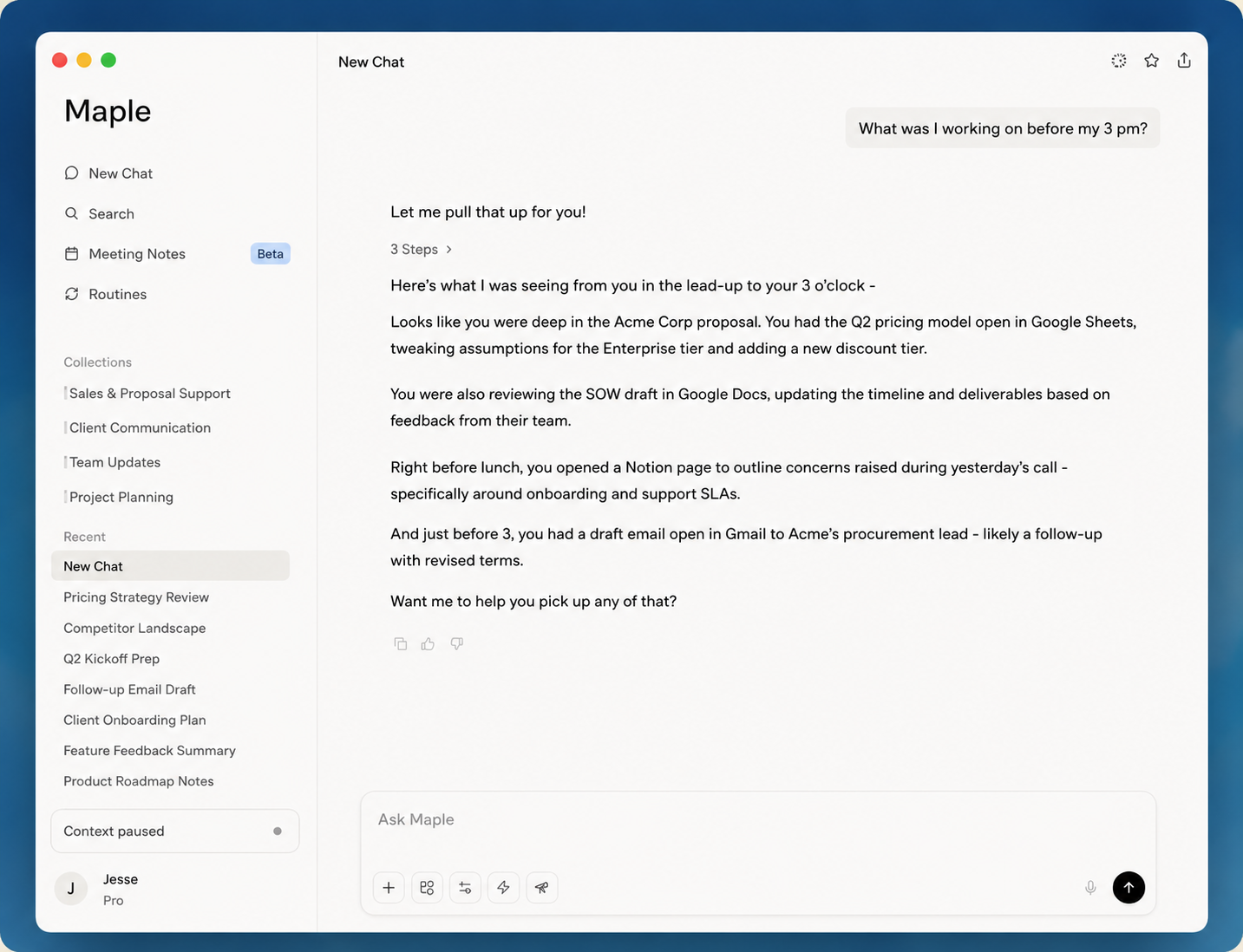
Maple is a personal AI assistant that already knows your work, so you can draft, plan, and stay on top of everything without having to catch it up on context.
Third-person boilerplate for press and partners. Pick a length and copy it verbatim.
Short (~50 words)
Maple is a personal AI assistant that already knows your work. It runs on your computer, pays attention to the active window you are in, and transcribes your meetings — building a private memory of what you have seen and done. Every answer, draft, and plan is grounded in your real work.
Medium (~120 words)
Maple is a personal AI assistant that already knows your work. Instead of starting from a blank chat box, it pays attention to the active window you are in and transcribes your meetings, building a private memory of your work that you can search, recall, and build on.
Maple does four things: Chat answers questions grounded in everything you have seen; Meeting Notes transcribe and summarize your calls with no bot joining; Routines deliver proactive updates on your schedule; and Focus Mode brings Maple over whatever app you are working in. It runs on Mac and Windows, with iOS and Android companion apps for asking questions away from your desk. The app runs locally on your computer with encrypted storage and zero cloud lock-in.
Long (~250 words)
Maple is a personal AI assistant that already knows your work. For busy professionals who constantly context-switch across meetings, docs, and messages, it understands the work you are doing without you having to explain it. Unlike generic AI chatbots and single-purpose AI tools, Maple pays attention to your screen and your meetings to build a private memory of your work, so every answer, draft, and plan is grounded in what you are actually doing.
It works immediately, with zero setup, and gets more useful over time. Maple runs on your computer and pays attention to the active window you are in. During meetings it listens along to transcribe and summarize, and no bot joins the call. It can optionally connect to the apps you already use for deeper context and to take actions, but no integrations are required.
Maple does four things. Chat answers questions and creates content grounded in everything you have seen. Meeting Notes transcribe and summarize your conversations so you can stay present. Routines deliver proactive, personalized updates on your schedule. Focus Mode opens Maple over whatever you are working on so you can ask without breaking your flow. It runs on Mac and Windows, with iOS and Android companion apps.
On privacy: the app runs locally on your computer with zero-knowledge encryption. Maple is independent, self-funded, and respects user ownership. It never sells your data and never trains models on your data. You can pause collection, exclude apps, and delete your data at any time. Maple is built by a dedicated team based in Jabalpur, India.
Messaging
How to talk about Maple
Four features, exactly. Use these one-liners; please don't describe a fifth.
Chat
"Chat with everything you have seen."
Meeting Notes
"Focus on the conversation. The notes take care of themselves."
Routines
"Proactive insights, on your schedule."
Focus Mode
"Get answers without breaking your flow."
Maple in action
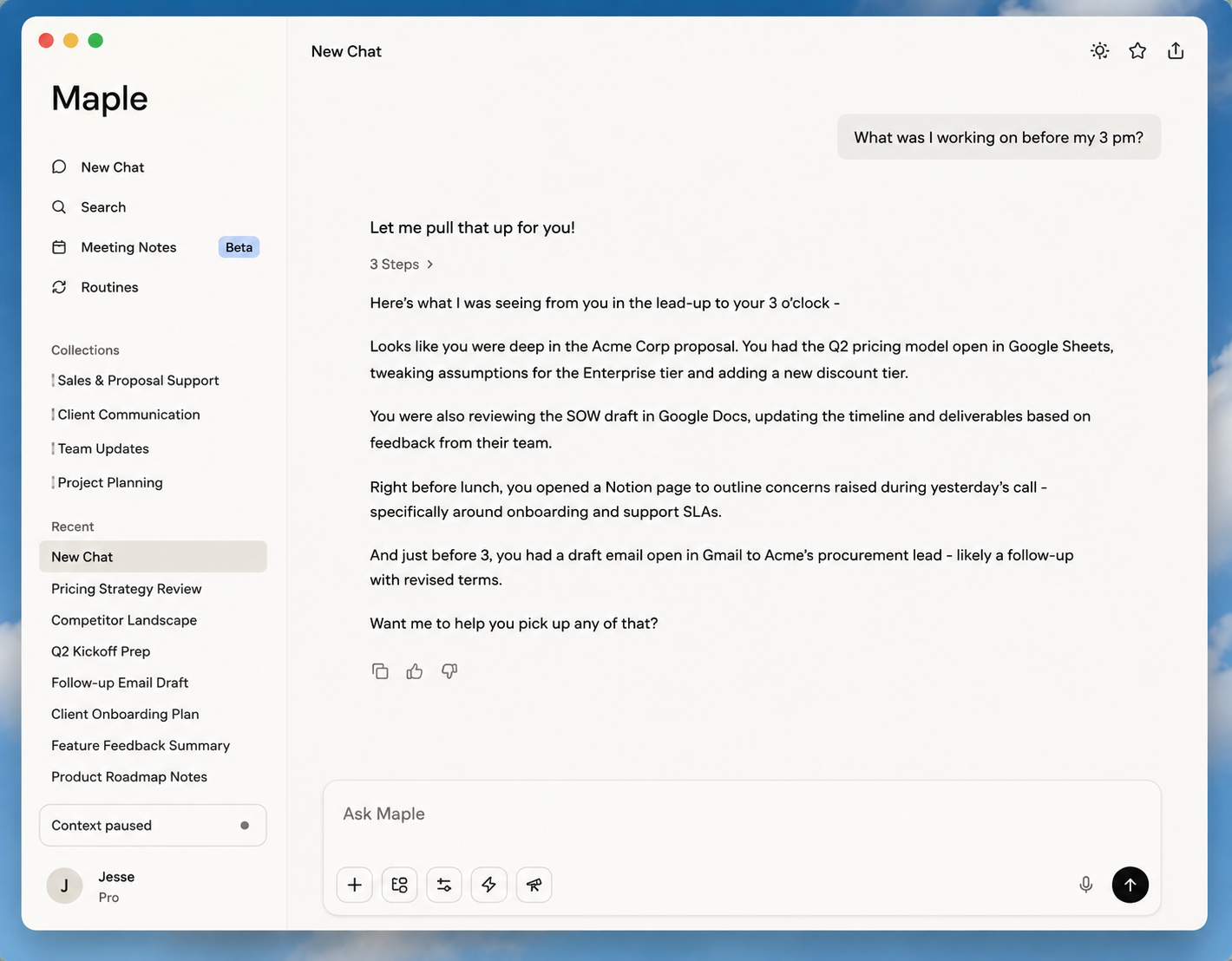
An assistant across all your apps
Get your work done without leaving the chat. Maple connects documents, browsers, and terminal history seamlessly.
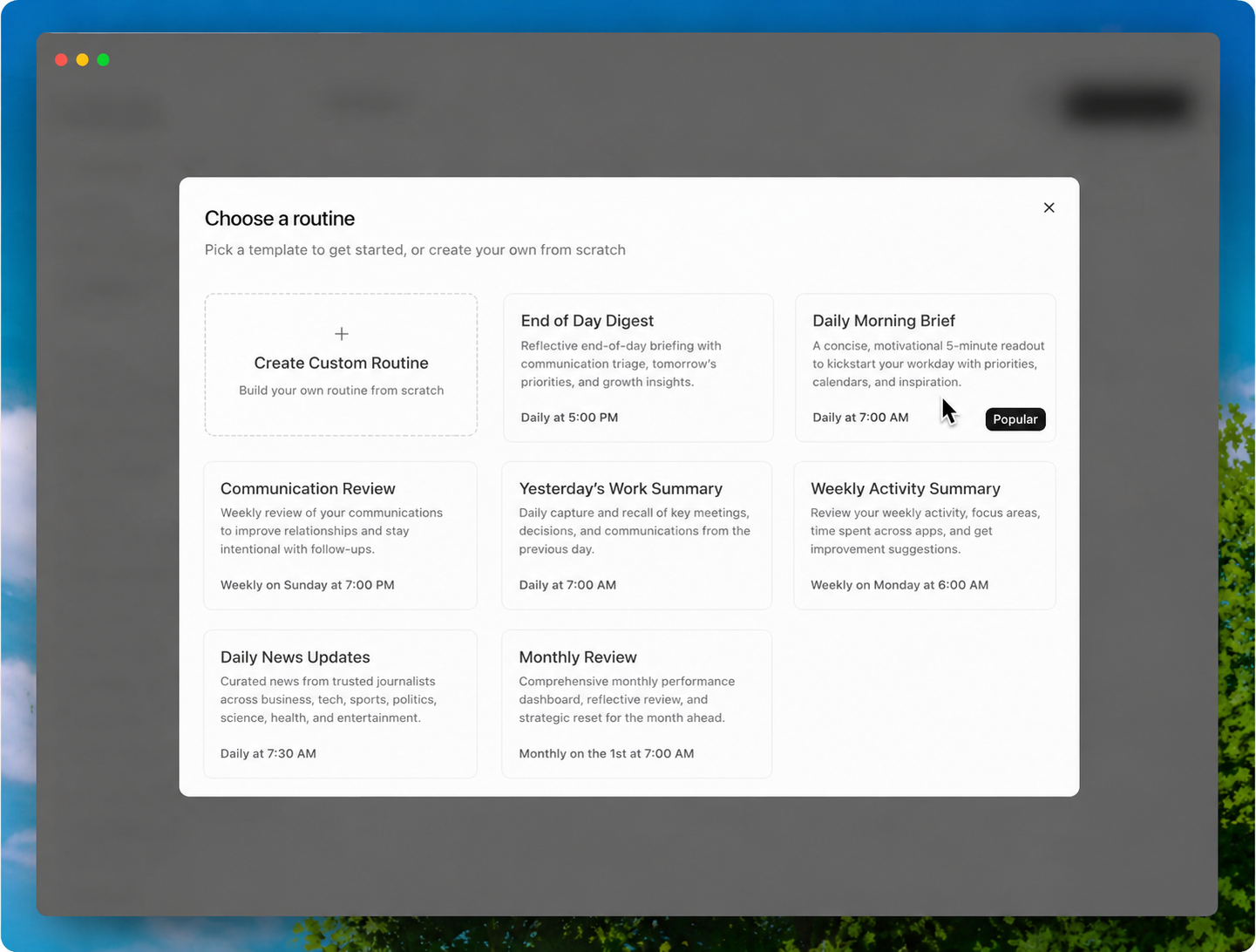
Automate your schedules and briefs
Set up a daily routine — a morning briefing, a weekly project update, whatever you want, whenever you want it.
From blank page to final draft
Maple understands your context, so it drafts emails, docs, and pull requests in your exact tone of voice.
Focus Mode, the AI on every screen
Maple appears wherever you're working with a single ⌥ Space shortcut, answers in milliseconds, and vanishes.
Platform
The companion apps
The desktop app is the core product. The iOS and Android apps are companions for asking questions away from your desk.
iOS
Does
Access the context Maple collected on your desktop
Ask questions and get answers away from your desk
Transcribe in-person meetings using the device mic
Doesn't
Capture your phone screen
Transcribe online meetings (no system audio on mobile — that's desktop-only)
Rishabh founded Maple to eliminate the cognitive context tax of modern knowledge work. Backed by deep expertise in high-concurrency desktop daemons, native Rust architectures, and on-device machine learning, he leads Maple's engineering and design from Jabalpur, India.
"We started with a simple premise: what if your AI assistant was already in the room, ran 100% on your device, and never touched the cloud?"
Brand
Logo
Use "Maple" as one word, capitalized M. Never "Maple OS" or "maple.so" in editorial prose.
Keep clear space around the logo; don't recolor, stretch, rotate, or add heavy drop shadows.
Use the dark-background lockup on dark or photographic backgrounds only.
Download individual files
Six official vector SVGs. Each preview sits on a background the mark is tailored for.
Maple Focus Mode and Chat InterfaceMaple Meeting Notes & Routine Briefings
Full high-resolution screenshot & product-shot pack (.zip) available on request.
FAQ
Frequently asked questions
Getting started
Maple is a personal AI assistant that already knows your work. It pays attention to the active window you're in and transcribes your meetings to build a private, searchable memory, so its answers and drafts are grounded in what you're actually doing.
Install the desktop app for Mac or Windows and follow the simple setup prompts; on a Mac you grant accessibility permission so it can read your active window. Leave it running silently while you work, then summon it with ⌥ Space to ask about anything you recently saw.
No. Maple works automatically out of the box by paying attention to your screen and meetings. Cloud integrations are purely optional for deeper actions.
Privacy and security
Yes. Maple operates local-first. Your embeddings and contextual memories are stored in a local SQLite database with AES-256 encryption. Your raw screen captures and audio stay on your device.
100% on your local machine. You hold the encryption keys, and nothing is synced to external servers without your explicit permission.
Never. Maple does not sell data, does not serve advertisements, and never trains AI models on your private workspaces.
Pricing
Maple offers a generous Free Starter tier with local indexing and unlimited meeting transcription. Pro is $16/month billed annually with priority local model acceleration and cloud sync.
Yes. Actively enrolled students with a .edu email and core open source contributors receive 50% off Maple Pro subscriptions.
Features
Four core pillars: Chat grounded in everything you have seen; Bot-free Meeting Notes; Proactive Routines; and Focus Mode HUD accessible via a global shortcut.
Native desktop apps for macOS (Apple Silicon and Intel) and Windows 10/11, alongside iOS and Android mobile companion apps.
Comparisons
General chatbots start with a blank box and zero knowledge of your actual projects, browser tabs, or morning meetings. Maple already knows the exact context behind your question.
Granola and Otter only transcribe meetings. Maple connects your meeting discussions to everything else you see on your screen, letting you search, synthesize, and act across your entire workday.
Company
Maple is built by an independent engineering team based in Jabalpur, Madhya Pradesh, India.
Reach out to us at hello@mapleco.in, join our Discord community, or follow us on LinkedIn and X (@mapleos).